

Automate creative tagging: Stop manually tagging your ads
Dec 13, 2025
|
5
min read
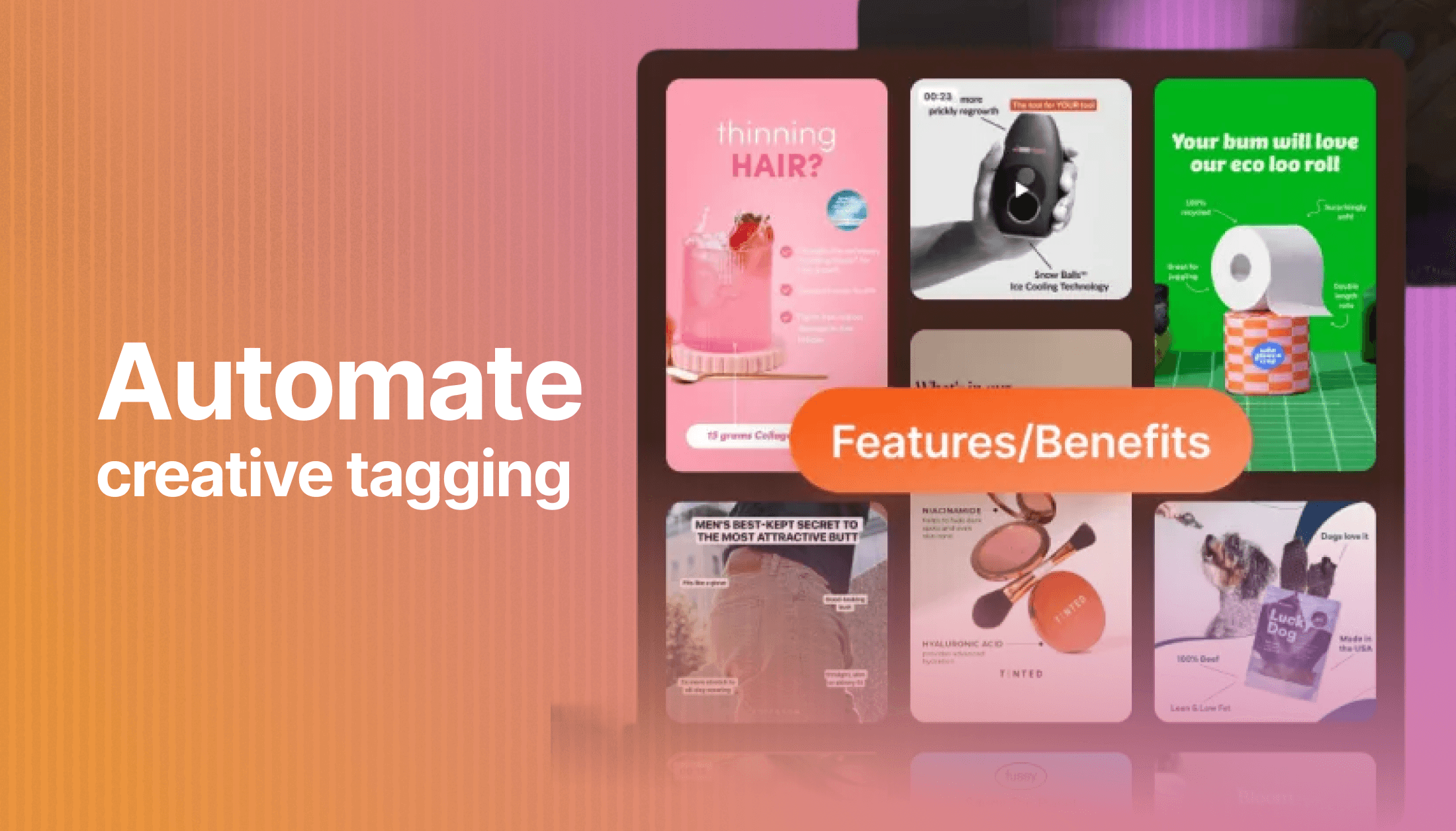
If you're launching 50 new creatives every week, you're probably spending way too much time organizing them.
Someone on your team is sitting there, staring at each ad, trying to decide: Is this TOFU or BOFU? Should I tag it as "problem-aware" or "solution-aware"? Is the emotion here "urgency" or "FOMO"?
And you're doing all this manual work because you need answers to pretty basic questions:
How are video ads performing compared to static images?
Which product category is actually driving conversions?
Are our awareness-stage ads even working?
Proper ad tagging is no longer optional. Without it, you're flying blind, making budget decisions based on incomplete data. But the traditional approach, which involves manual tagging, spreadsheets, and endless QA to catch inconsistencies, doesn't scale when you're moving fast.
Here's the good news: AI can handle this entire process for you, and it's surprisingly straightforward.
Why ad tagging matters more than ever
Teams tag their ads to see patterns across multiple creatives and make smarter optimization decisions.
When you can group ads by characteristics like messaging angle, format, or target audience, you can answer questions like:
“Do we have enough creative diversity?”
“How did our recent creative test perform?”
“What creative should we make next?”
Without proper tagging, you're looking at individual ad performance in isolation, which tells you almost nothing about what to do next.
Meta's Andromeda update completely changed the game. Before Andromeda, you could create variations of the same ad concept. Change the headline, swap out one image, adjust the CTA, and Meta's algorithm would treat each as a unique creative. That approach doesn't work anymore.
Now, Meta's system is smart enough to recognize when two ads are essentially the same thing with minor tweaks. If you're making only surface-level changes, the algorithm will view them as duplicates and won't provide you with the reach or learning data you need.
To be seen as truly different creatives, you need genuine diversity across multiple dimensions:
Different ad concepts: Features/Benefits, Promotion/Offer, Founder's Story, Us vs Them, Comparison. Not just slight variations on the same angle.
Different media formats: Static images, UGC video, motion graphics, carousels. Yes, actual format changes, not just different photos.
Different visual and messaging hooks: Distinct opening lines, varied visual styles, different emotional appeals.
This means your creative production has to scale up significantly. And when you're launching that many genuinely different ads, manual tagging becomes completely unsustainable.
You need a system that can keep pace with your production volume while helping you identify which combinations of concept, format, and hook are actually driving results.
The real cost of manual ad tagging
Manual tagging sounds simple until you actually do it.
Your team creates 50 new ads this week. Each one needs to be tagged across multiple dimensions: campaign stage, product category, ad format, target audience, creative angle, maybe even the emotion you're trying to evoke. That's easily 5-10 minutes per ad when you factor in the time to review the creative, make decisions, and input everything correctly.
It adds up to over four hours of work every single week. And that's assuming everything goes perfectly. No inconsistencies, no one tagging "Top of Funnel" while someone else uses "TOFU," no missed tags that break your reporting later.
But the bigger problem is what happens when your tagging system breaks down. You end up with:
Incomplete data, which makes it impossible to compare performance across campaigns
Inconsistent tags that fragment your reporting (is it "video ad" or "video creative" or "video format"?)
Delayed insights because you're waiting for someone to catch up on tagging backlog
Budget decisions made on gut feeling instead of clear performance data
When you're testing aggressively and launching new creative constantly, these issues compound fast.
How AI-powered tagging works
The fundamental shift is moving from “someone manually reviews and categorizes ads” to "AI analyzes your ads and tags them automatically based on what it actually sees.”
Here's what that looks like.
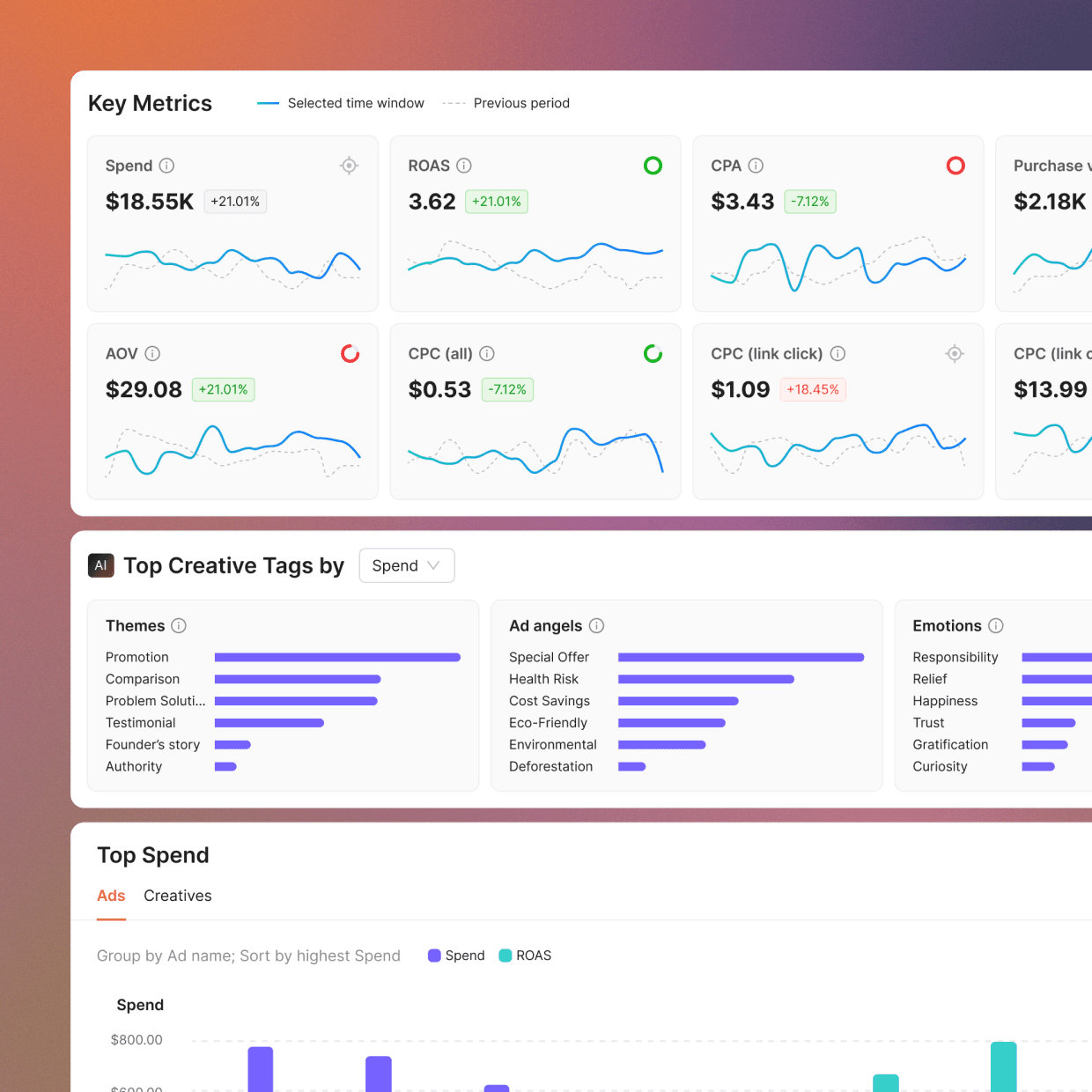
When you plug your ad accounts into a platform like Atria, it immediately starts analyzing your existing creatives. It's not just reading your ad names or looking at file types, but processing the ad content itself: the visuals, the copy, the CTA, all of it.
The AI automatically tags your top-performing creatives across three key dimensions right out of the gate:
Ad concept or theme: What's the core message or positioning? Is this a price-focused ad, a feature comparison, a problem-solution narrative, or something else entirely?
Testing pillar: Where does this sit in your testing framework? Is it testing a new audience, a different creative format, or a messaging variation?
Emotion: What's the emotional driver here? Is it building urgency, creating aspiration, addressing pain points, or generating excitement?
These tags get applied consistently across all your ads, using the same criteria every time, and you get the insights you need across all ads vs. looking at them one by one.
Custom AI tags: Tell the AI what matters to your business (coming soon)
Default tagging is useful, but what's really interesting is custom AI tags. Atria is rolling this out soon, and it'll let you define exactly how you want your ads categorized.
Think about the specific questions your team asks when analyzing performance:
"What creator is performing best?”
"Are 'challenger brand’ angles working better than 'premium quality' positioning?"
"Do educational ads outperform promotional ones for our target audience?"
Instead of manually creating these tags, you'll be able to create custom tags to tell the AI: “Here are the dimensions I care about. Tag all my ads accordingly.”
The AI will then analyze every ad, past and future, and apply your custom taxonomy automatically. If you launch 50 new ads next week, they'll all be tagged instantly, using the exact same criteria as your existing library.
This means your reporting stays consistent as you scale, and you can start asking more sophisticated questions about what's actually working.
Turn your ad naming conventions into automated insights
If your team has already developed a naming convention for ads (and most high-performing teams have), the AI can work with that too.
Let's say your ad names follow a pattern like this: TOFU-shirts-video-variant-A or BOFU-pants-static-variant-B
You're already putting valuable information into these names: funnel stage, product category, format, and test variant. But right now, you probably need to manually parse these names to use them in reporting, or you've built some fragile spreadsheet formula that breaks whenever someone uses slightly different formatting.
AI can analyze your naming separators (the hyphens, underscores, or whatever you're using) and automatically turn each segment into a dimension you can filter and sort by.
Suddenly, every piece of information you've encoded in your ad names becomes a usable data point. You can slice performance by:
Funnel stage (TOFU vs. MOFU vs. BOFU)
Product category (shirts vs. pants vs. accessories)
Creative format (video vs. static vs. carousel)
Test variant (A vs. B vs. C)
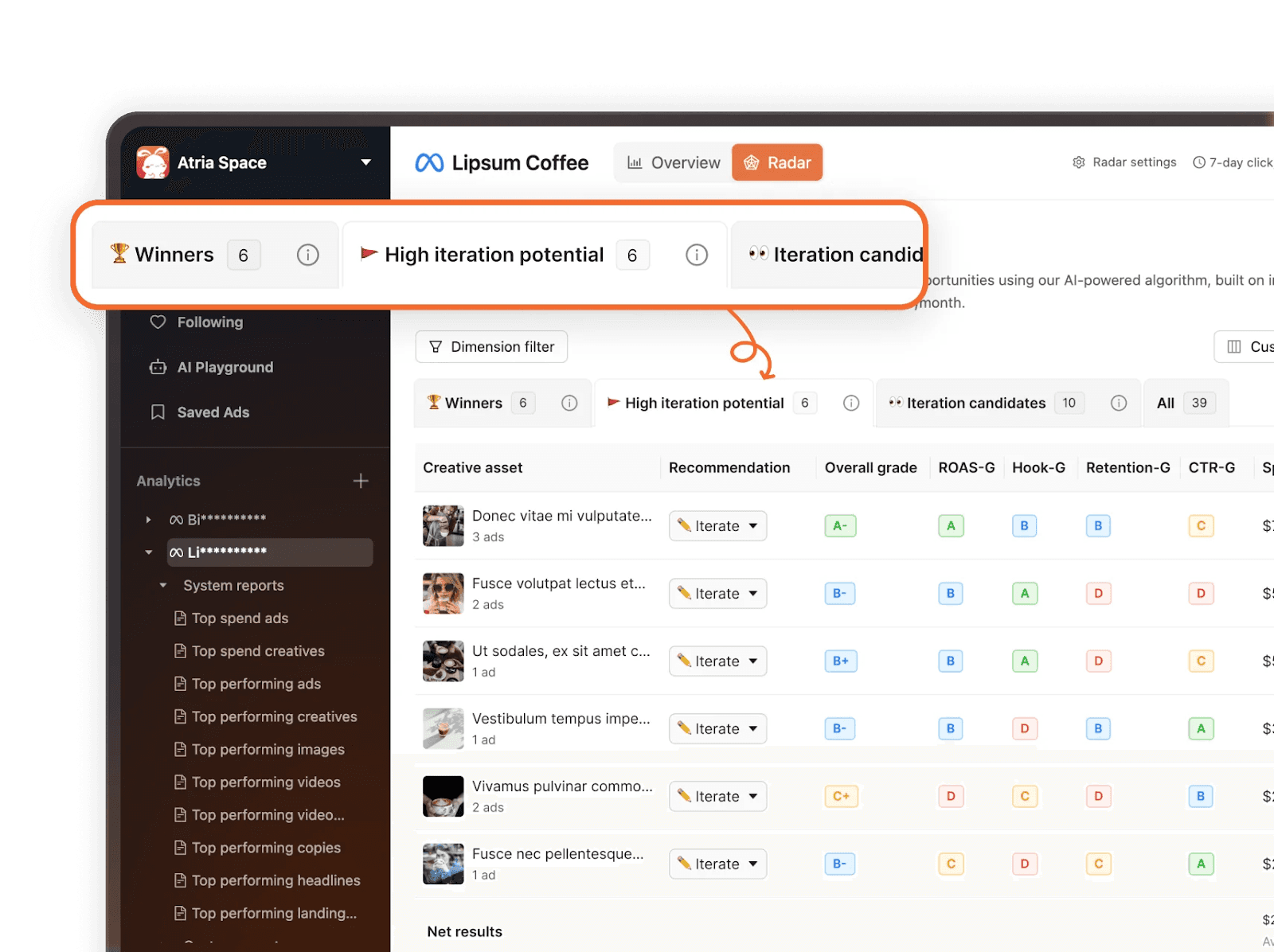
And you don't need to do anything special. Just keep naming your ads the way you already do, and the AI figures out the structure.
Setting up your automated tagging workflow
Getting started with automated tagging is more straightforward than you might think. The core process looks like this:
Connect your ad accounts: Link your ad platforms (Meta, Google, TikTok, etc.) to Atria. This is a one-time setup that takes a few minutes per platform.
Let the AI analyze your existing ads: Once connected, Atria will automatically process your existing creative library and apply tags across ad angle, testing pillar, and emotion. This happens in the background while you keep running campaigns.
Review the initial tagging: Take a look at how the AI has tagged your ads. This gives you a sense of the patterns it's identifying and helps you understand which of your creatives are actually resonating based on their characteristics, not just their raw performance numbers.
Define custom tags (when available): Once custom AI tagging launches, you can specify additional dimensions you want tracked. Think through the questions your team regularly asks during optimization, and create tags that make those questions easy to answer.
Keep launching ads as normal: From this point forward, every new ad you create gets automatically tagged as soon as it's live. Your creative team doesn't need to change their workflow at all.
The system runs continuously in the background, keeping your entire ad library organized and your performance data immediately accessible.
The compounding advantage of consistent tagging
When you have automated, consistent tagging, here's what happens over time.
Your historical data becomes increasingly valuable. Instead of having a few months of manually tagged ads (with gaps and inconsistencies), you build up a complete dataset of every creative you've run, all tagged using the same criteria.
This lets you spot patterns that would be impossible to see otherwise:
"We've tested this ad angle 47 times over six months, and it consistently underperforms. We should stop investing in it."
"Our Q4 ads tagged with 'urgency' had 2.3x the conversion rate of similar ads without that emotional hook."
"Video ads work great for TOFU, but static images actually outperform them at BOFU for our product."
These aren't hunches or small sample sizes. They're real patterns that emerge from consistently tagged, comprehensive data.
And because the tagging is automated, your data quality doesn't degrade as you scale. Launch 50 ads this week, 75 next week, 100 the week after. Every single one gets appropriately tagged, and your insights just get richer.
AI-powered tagging doesn't just save time (though saving four-plus hours every week is nice). It fundamentally changes how quickly you can move from "we launched these ads" to "we know what's working and we're shifting budget to maximize results."
Your ads get tagged consistently, completely, and automatically. Performance data stays clean and organized as you scale. And your team spends time optimizing campaigns instead of maintaining spreadsheets.
Big budgets don't guarantee wins in paid advertising. What matters more is how quickly you can test new creatives, figure out what's working, and optimize your spend.
Automated tagging is what makes that speed possible.
FAQs
Quick answers to common questions about automated ad tagging.
How accurate is AI tagging compared to manual tagging?
AI tagging is more consistent than manual tagging because it applies the same criteria every time. While humans might categorize ads differently depending on their mood or interpretation, AI analyzes each ad using identical parameters, eliminating inconsistencies that typically fragment reporting.
Can I edit tags that the AI creates?
Yes. Automated tagging is designed to handle the bulk work, but you maintain full control. If the AI tags something incorrectly or you want to adjust categorization, you can manually override individual tags while keeping the automated system running for everything else.
What happens to my existing ads when I start using automated tagging?
The AI automatically processes your entire existing creative library and applies tags retroactively. This means you'll have consistent tagging across both historical and new ads, giving you a complete dataset to analyze without gaps in your reporting.
Does automated tagging work across multiple ad platforms?
Yes. Once you connect your ad accounts (Meta, Google, TikTok, etc.), the AI tags creatives across all platforms using the same taxonomy. This gives you unified reporting and makes cross-platform performance comparison straightforward.
How quickly are new ads tagged after launch?
New ads are tagged automatically as soon as they're live in your connected accounts. There's no backlog or waiting period—your performance data is organized and ready to analyze immediately.